Step 1
Decide on which interface you would like to use as the WAN port. In this example we will use eth0.
Step 2
Click on Actions
Step 3
Click on Config
Step 4
Select Use DHCP from the Address drop down menu
Step 5
Click Save to save your changes
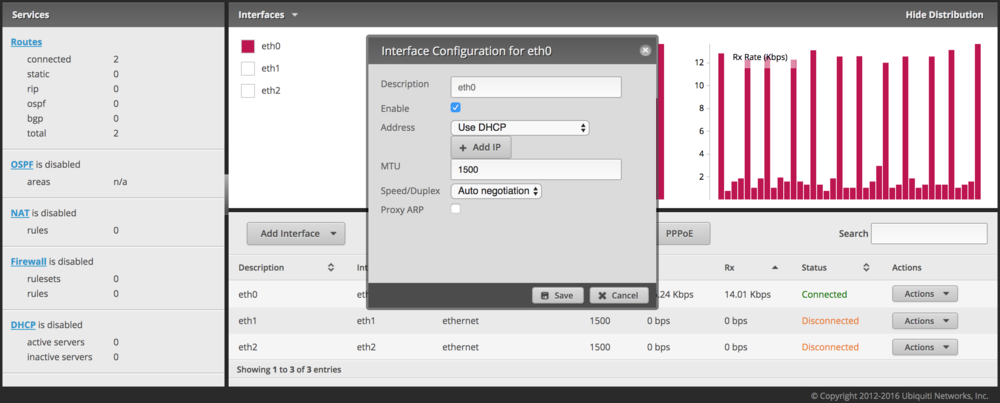
Step 1
Decide on which interface you would like to use as the WAN port. In this example we will use eth0.
Step 2
Click on Actions
Step 3
Click on Config
Step 4
Select Use DHCP from the Address drop down menu
Step 5
Click Save to save your changes
Our support team is available 24/7 to answer your questions.